
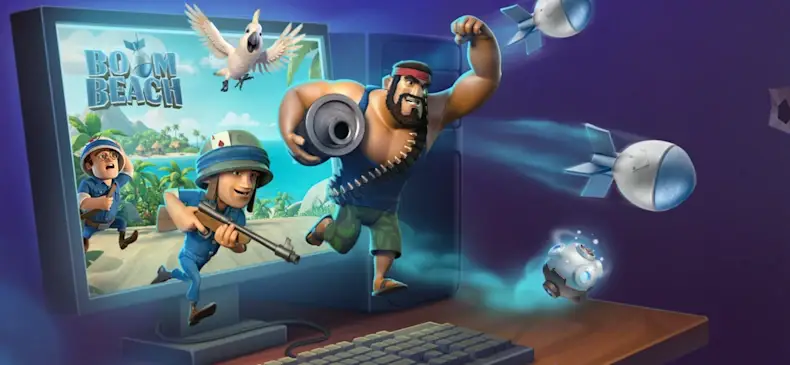
The wait is finally over, Commanders! If you caught the latest episode of Beach Talk, you already know the massive surprise: Boom Beach is officially available on Windows PC! Supercell has launched a dedicated PC application, allowing players to expand their strategic operations from the small mobile screen to the expansive view of a desktop monitor.
Whether you are planning a complex Task Force operation or defending your home base against Dr. T’s latest invention, the game is now more accessible than ever. Here is your complete guide on how to download the new launcher and what this move means for the future of the game.
How to Download and Install Boom Beach on PC Supercell has made the transition to the big screen incredibly smooth. Unlike other titles like Clash of Clans, which utilize third-party emulators or betas, Supercell has developed a custom, in-house launcher specifically for the Boom Beach PC experience.
To start playing on your desktop today, follow these simple steps:
- Visit the official Boom Beach website.
- Locate and download the dedicated Windows PC launcher application.
- Install the launcher on your hard drive, log in with your credentials, and begin deploying your troops.
Note: As of the current rollout, the PC launcher is exclusively available for Windows PC. Support for Mac and Linux has not been announced at this time.
Seamless Cross-Progression with Supercell ID One of the biggest concerns for veteran players is their existing progress. Fortunately, the PC version is a fully integrated experience, perfectly optimized for mouse and keyboard controls while retaining all your hard-earned data. By utilizing your Supercell ID, your progress will sync seamlessly between your mobile device and your PC.
- Play Anywhere: You can manage your base on your phone during your morning commute and pick up right where you left off on your PC when you get home.
- Safety First: Keep in mind that for security and fair play, you cannot be active on both devices simultaneously. Logging into your PC will automatically log out your mobile session.
- Unified Economy: Boom Beach remains free-to-play. Any purchases made via the Supercell Store, Apple, or Google Play will instantly reflect on your account regardless of which platform you are currently using.
A New Partnership: Supercell and Kuuasema To ensure a bright future and a steady stream of new content, Supercell has officially partnered with the Finnish game studio Kuuasema. While the core Supercell team remains in control of the game’s creative direction and overall vision, Kuuasema is providing the specialized development muscle needed to maintain the PC port and create exciting new features for the months and years ahead.
Boom Beach PC: Frequently Asked Questions (FAQ) To help you get started, we have answered the most common questions regarding this new launch:
- Is the PC version available globally? Boom Beach on PC is live in almost every global market. However, there are a few temporary exceptions, including South Korea, Australia, and the state of Texas (USA).
- Do I need a Supercell ID to play on PC? While you can start a brand-new game as a guest, a Supercell ID is strictly required if you wish to sync your existing mobile progress or make secure in-game purchases.
- Is this the first Supercell game on PC? No, but it is unique. While Clash of Clans and Clash Royale arrived on PC in 2023, they are played through the Google Play Games beta. Boom Beach is the first to feature its own dedicated Supercell launcher.
Are you ready to take back the islands on the big screen? Download the launcher today and experience the high-definition destruction of the Blackguard!